This article discusses how to create and deploy an inexpensive blog using Azure Static Web Apps and Gatsby.
Definitely this is a fun project!
My main objective was to built a blog where I can highlight some of my data science/computer science
projects. In summary, I used a blog starter template based on Gatsby and hosted it in Azure Static Web Apps for free.
It is work in progress, but surely it is very interesting and rewarding to play around with Azure cloud resources, git, Github, Gatsby, html, and Visual Studio Code.
| Positive aspects | Negative aspects |
|---|---|
| -Really fun. You get familiar with Azure resources, Github, git and Gatsby | -Blog personalisation requires some investment of time to understand the structure and workflow. Simple changes can take some time. |
| -Inexpensive. You only spend on the domain registration (12 CAD/year). You can host your blog for free. | -Missing some interesting features like comments. It probably requires some advanced work (Azure api functions) |
| -The deployment (backend) process is managed by Azure. You only need to write, commit and push. | |
| -Markdown language allows formatting text for web rendering. It is easy to learn and have a great support for math formulas (katex). |
Gatsby’s blog template
Gatsby is a free open-sourced framework - a static website generator - that allows for quick web development. The blog template has a clean and simple design. Posts’ titles and short summaries are visible in the main page, sorted by date. Each post has links to the previous and next post. It takes a bit of time to understand the architecture/configuration files (but not so much) to do some adjustments and personalisations (ex. change the maximum length of the paragraphs, the bio, etc.) but you can use your favourite text editor (preferably Visual Studio Code as it will integrate smoothly to Azure and Github). The template comes with some useful example posts. Posts are located in the content directory - each post on its own folder. Each folder has an index markdown file, which is where the post content (text) goes. Markdown is an easy-to-learn markup language that creates formatted text (italic, ordered lists, highlight, etc.) using a plain-text editor.
Azure Static Web Apps
Once your blog is working in your local machine, it is time to publish it for the world to see (or just for your friends as in my case). For this we can rely on Azure Static Web Apps, which is a “modern web app service that offers streamlined full-stack development from source code to global high availability”. The Gatsby’s blog template is a static website (all data data fetch, including the querying of local files, is done during build time; static website load faster as all the work is done at build time) and it is perfectly suited for Azure Static Web Apps. Through some few steps where you link your local blog directory to a Github repertory and this to your Azure resources, you are then ready to have Azure build and deploy your app. From this point, all your changes - plus commits and pushes - to the blog can be done through Visual Studio Code (Azure and Github extensions needed).
Let’s code
You can practice how to create and deploy a simple vanilla Gatsby web application into Azure Static Web Apps. The steps are shown in detail in the two links below. You may need also need to go through the prerequisites (in addition to setup an account on Azure and Github, you need to install npm to manage node.js libraries - don’t forget, we are doing a bit of web development). It assumes that you are a bit familiar with git (you need to have git also installed). There is a part where you push you app to your GitHub repository. For this, you may need to exchange credentials to establish a secure connection.
- Tutorial: Publish a Gatsby site to Azure Static Web Apps
- Exercise: Build and deploy to Azure Static Web Apps
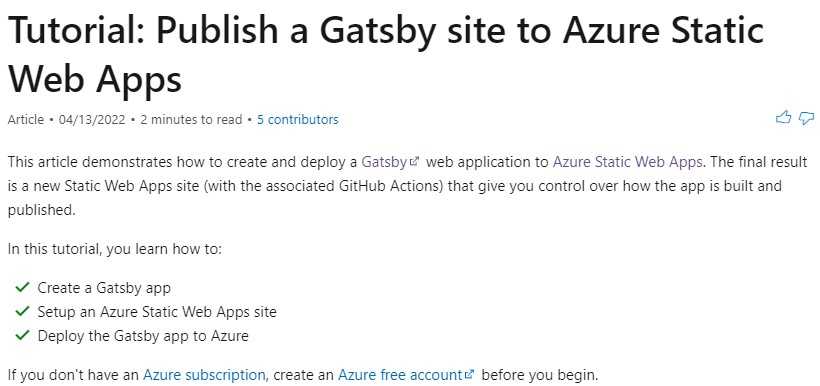
Once you have finish with the practice, you can go ahead with Gatsby’s blog template. You can then apply the steps from the previous practice and finally deploy your blog into Azure.
Azure Static Web Apps will assign you an URL (an address for your site). You can add your own custom domain and redirect the traffic to it. In this way, you get a more user-friendly url (in my case, fireinthesandbox.ca).
Useful references:
- Automatically deploy application with Github Actions and Azure Static Web Apps
- Let’s get started with Azure static web apps
- Create a website with Svelte and Azure Static Web Apps
- Add an API to Azure Static Web Apps with Azure Functions
- Let’s Build A Recipe Blog with Azure Static Web Apps & Hugo
- Quickstart: Building your first static site with Azure Static Web Apps
- How to create your personal blog with Gatsby & Azure Static Web Apps
- Exercise - Create a static app with Gatsby
- Tutorial: deploying gatsby to azure
- Kickoff #30DaysOfSWA
- Creating a Static Website on Azure with Gatsby
- Customising image display in gatsby
- How to create blog posts from markdown with gatsby in 2021
- How to create a fast and beautiful blog with Gatsby